Setup · 04
Getting your macOS ready for C
Skip full Xcode. Install Apple’s Command Line Tools so Clang is ready in Terminal — then you can compile C on your Mac.
16th July 2019
Last updated on 14th August 2026
Author: Kulwinder Krishan

Before any C can fly, the Mac needs a compiler. That sounds heavy. It is not.
I am not installing the full Xcode IDE here. For learning C we need a place to type, and a compiler in Terminal. Keep the rest out of the way.
Keep it simple
KISS — Keep It Simple, Stupid — is the whole plan for this page.
You need two tools:
- An editor to write
.cfiles — I use Sublime Text; any solid editor is fine. - Clang, Apple’s compiler, which arrives with the Command Line Tools package.
That is enough to compile Hello World on a Mac. Fancy IDEs can wait.
Install with Terminal
The cleanest path is already on your Mac. Open Terminal and run:
xcode-select --install
A system dialog appears. Choose Install, accept the license, and wait — the download is large. When it finishes, Clang and friends live under /Library/Developer/CommandLineTools.
You can read more about the switcher with man xcode-select.
Or download from Apple
If the dialog misbehaves, or you want a specific tools version, sign in at Apple Developer downloads, search for Command Line Tools, and install the package that matches your macOS.
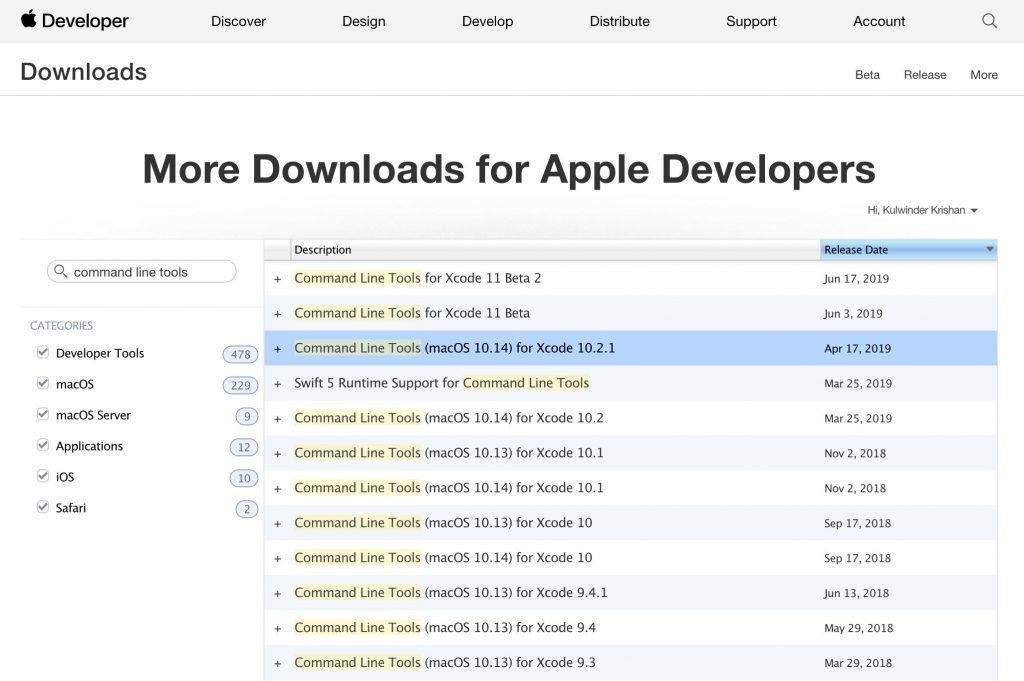
Apple’s downloads list — pick the Command Line Tools package for your system
You do not need the full Xcode app for this course. Clang is one tool among the BSD-style command-line utilities in that package; installing the slim tools package is enough.
Next step
Compiler on the Mac. Next we add Harvard’s helper library so functions like get_string() work locally:
Leave a comment
Comments coming soon — set the NEXT_PUBLIC_GISCUS_* env vars after enabling GitHub Discussions and Giscus.